Funding Views
Learn more about funding Views.
Before a View can be indexed, Data Collectors need to sponsor/fund it. While any independent Data Collector can sponsor your View, typically, you would want to be among the first sponsors to ensure the View is indexed. There are three methods for funding Views on Analog Watch: Watch Portal, Watch SDK, and GraphQL IDE.
Depending on your selection, proceed as follows:
Watch Portal
Follow these steps to fund a View:
- Launch the Analog Watch by visiting the appropriate environment URL and connecting your wallet.
- Head over to the Library section by clicking on the “Library” link. Select the View you want to fund by clicking on it. You should be able to see a screen similar to this:
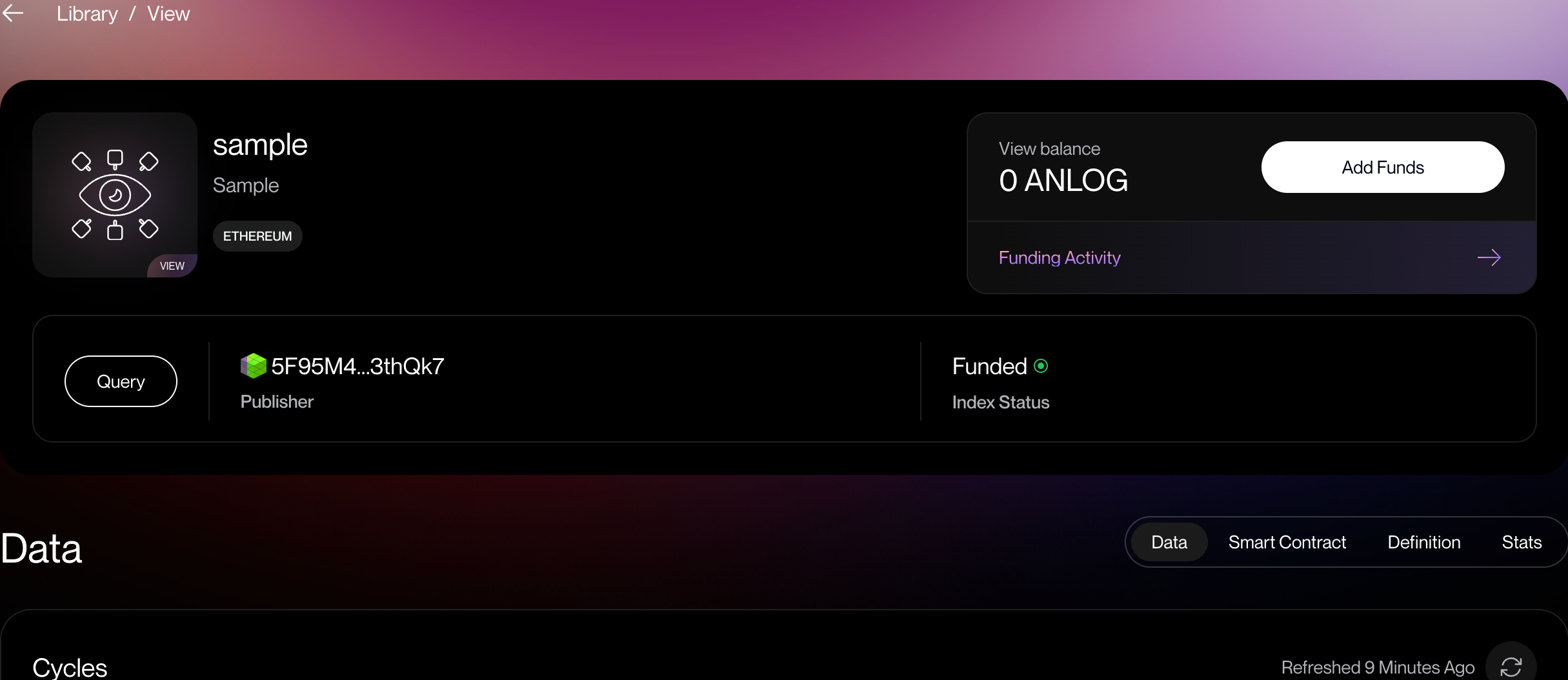
- Next, locate the “Add Funds” button and click on it.
- Enter the amount of tokens you would like to allocate to the View, then click the “Add Funds” button to fund the View.
- Wait for the transaction to be finalized on the Timechain.
You’ll need enough tokens to fund your View. Check out the Testnet Faucet page to learn more about acquiring testnet tokens.