Wallets & Accounts
Setting Up a Substrate Wallet
Analog currently offers support for wallets based on the Substrate framework. See Supported Wallets for more details. For step-by-step guidance on setting up Substrate accounts using the various tools developed and supported by Web3 Foundation, refer to the official documentation .
As a Substrate-based network, Analog adopts the SS58 address format , a Substrate standard for encoding account identifiers. This base-58 encoding scheme enables interoperability between Analog and other Substrate-based blockchains, including Kusama and its parachains. Analog addresses are uniquely identifiable by the “an” prefix.
For more details about generating ss58 addresses with different Supported Wallets, see Add Support for Analog to Existing Substrate Wallets.
Add Support for Analog to the Existing Substrate Wallets
This tutorial will guide you through the process of enabling Analog support for your existing Substrate wallets.
Talisman
- Launch your Talisman extension.
- Add Analog/Timechain support to your Talisman extension by navigating to “Settings” -> ”Network & Tokens” -> “Manage Networks” and adding the following network details:
- Network Name: Analog Timechain
- RPC URL: wss://rpc.timechain.analog.one
- Explorer: https://explorer.analog.one/
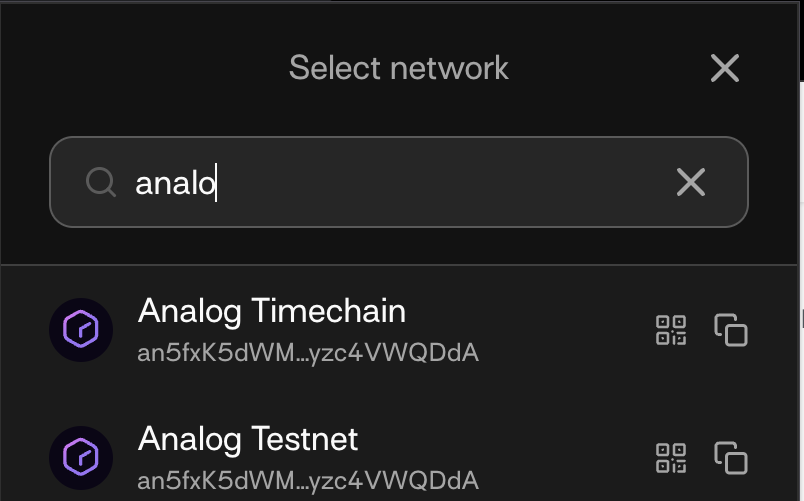
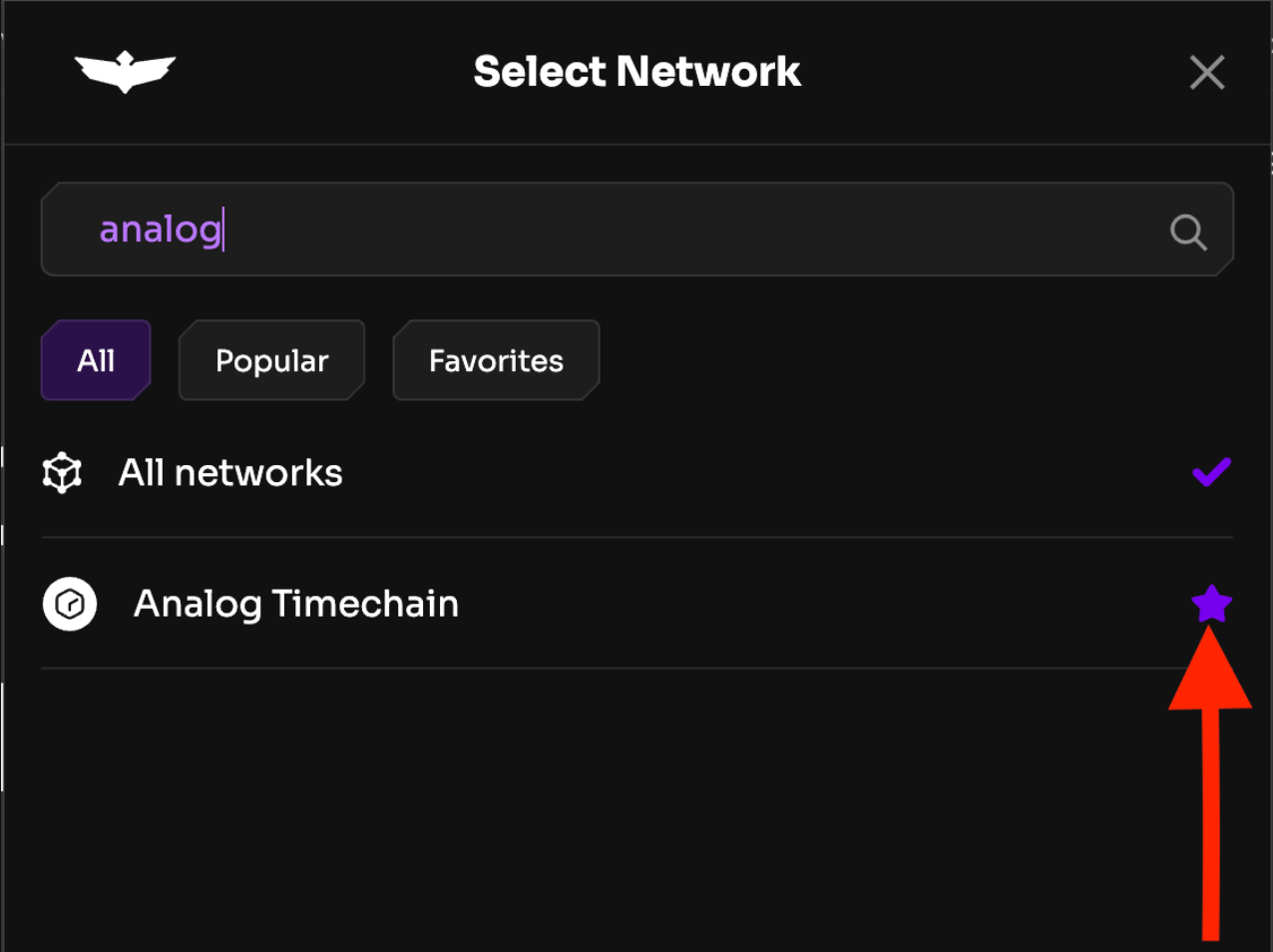
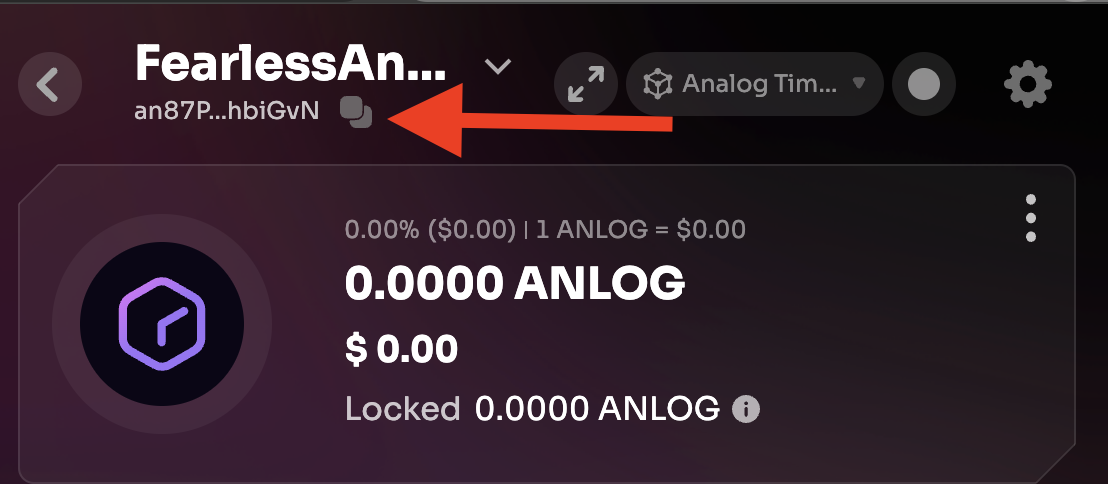
- To locate your Timechain address (SS58 address), click on “Copy Address” and search for “Analog.”
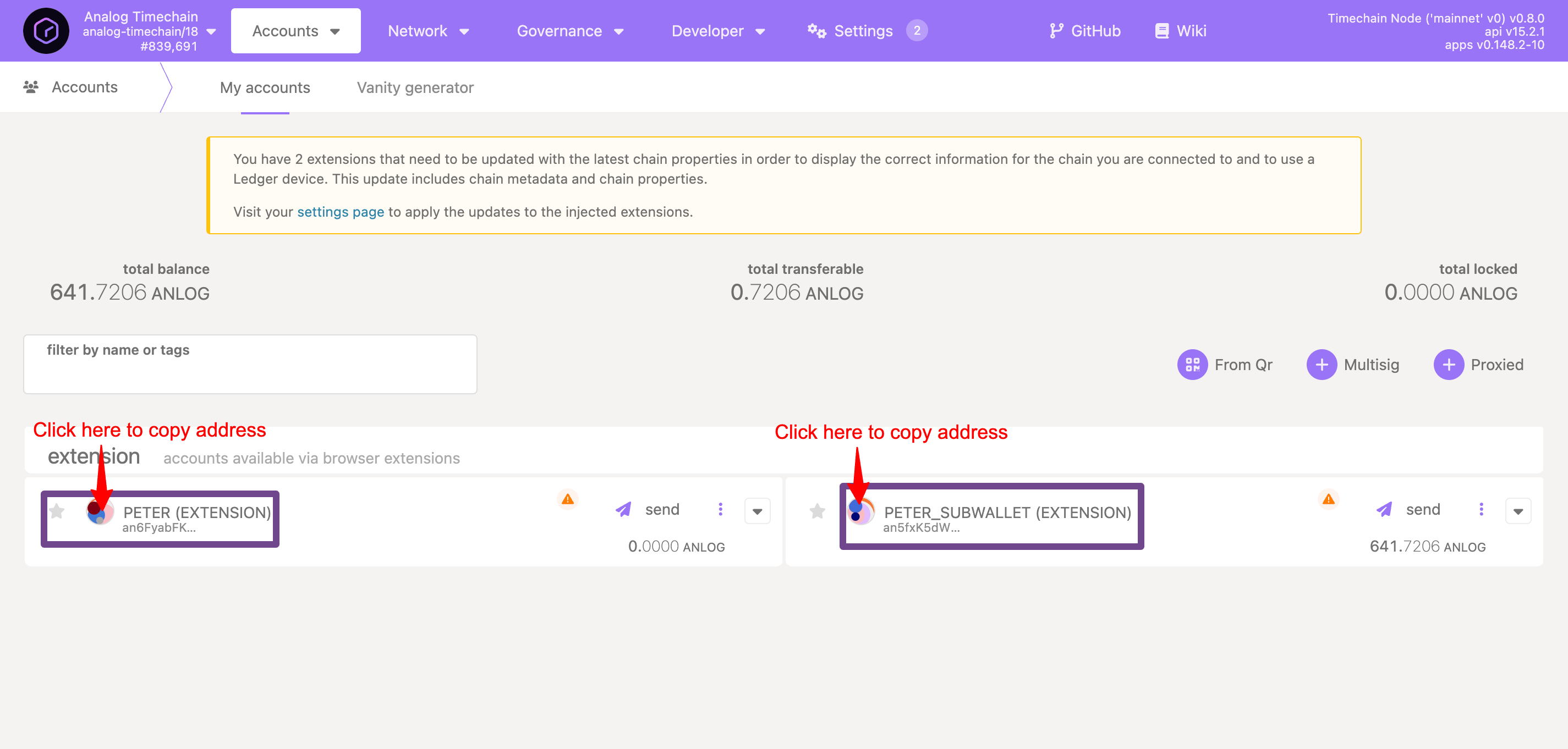
How To Connect Your Wallet With Analog
To set up a new Analog account on the mainnet (Analog Timechain), ensure you’re on the page at Polkadot.js Console (i.e., https://console.analog.one/ ) and that “Analog Timechain” is selected in the top left corner. This is what you should see:
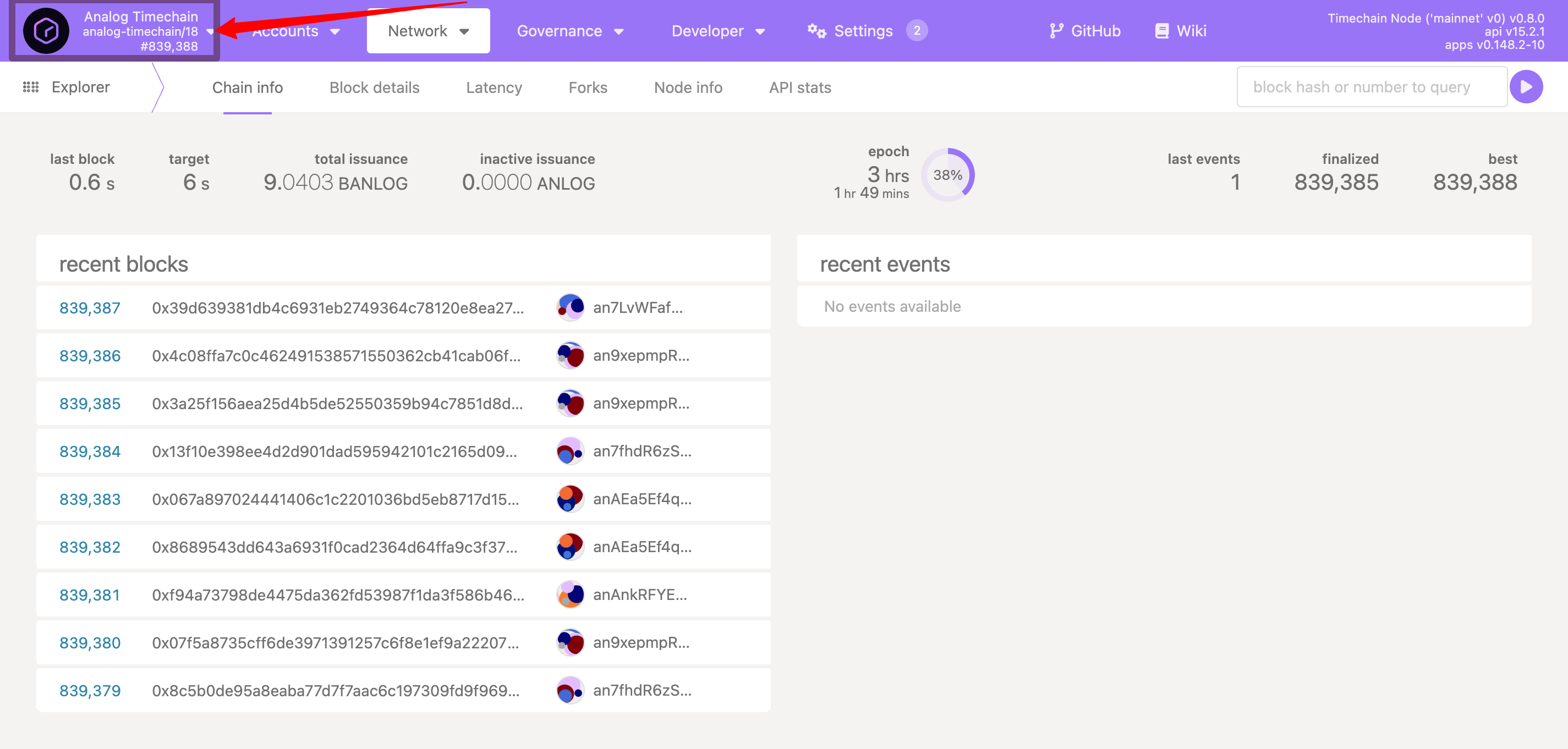
That is the default view of Analog’s block explorer, which displays the latest blocks and events. To view all account-related activities, simply switch to the Accounts tab. Please note that many Supported Wallets features require a funded account in the Accounts tab. Without funds, some tabs and menus may be unavailable.
You can access the same account with multiple wallets (see Supported Wallets), provided you’ve provided the same mnemonic seed. To use an existing account (e.g., from SubWallet) in Talisman or Polkadot.js Extension, simply import it—no need to create a new one or transfer assets. See the following links for more details.
- Talisman: https://docs.talisman.xyz/talisman/start/importing-existing-accounts
- SubWallet: https://docs.subwallet.app/main/extension-user-guide/account-management/import-accounts
- Polkadot.js Extension: https://support.polkadot.network/support/solutions/articles/65000169952-polkadot-extension-how-to-restore-your-account
Existential Deposit
Analog uses an “existential deposit ” (ED) mechanism, currently set at 1 ANLOG, to minimize the storage burden on the Timechain. To conserve on-chain resources, accounts with balances below the ED are deactivated from the Timechain, and their remaining funds are destroyed.
This deactivation does not hinder account access; however, the account’s state is no longer maintained on the Timechain. To reactivate the account and restore its on-chain state, you must deposit an amount exceeding the ED. However, this operation won’t restore the destroyed funds.
Here’s what you need to pay attention to about ED:
- The Timechain Explorer does not discover accounts that have never received a deposit.
- The transaction will fail if you attempt to transfer funds below the minimum ED to an empty account.
- You can reactivate your account at any time. However, this operation won’t restore the previously destroyed funds.
- When transferring funds, always enable “transfer with account keep-alive checks,” as shown here, to avoid losing funds due to an insufficient ED balance.
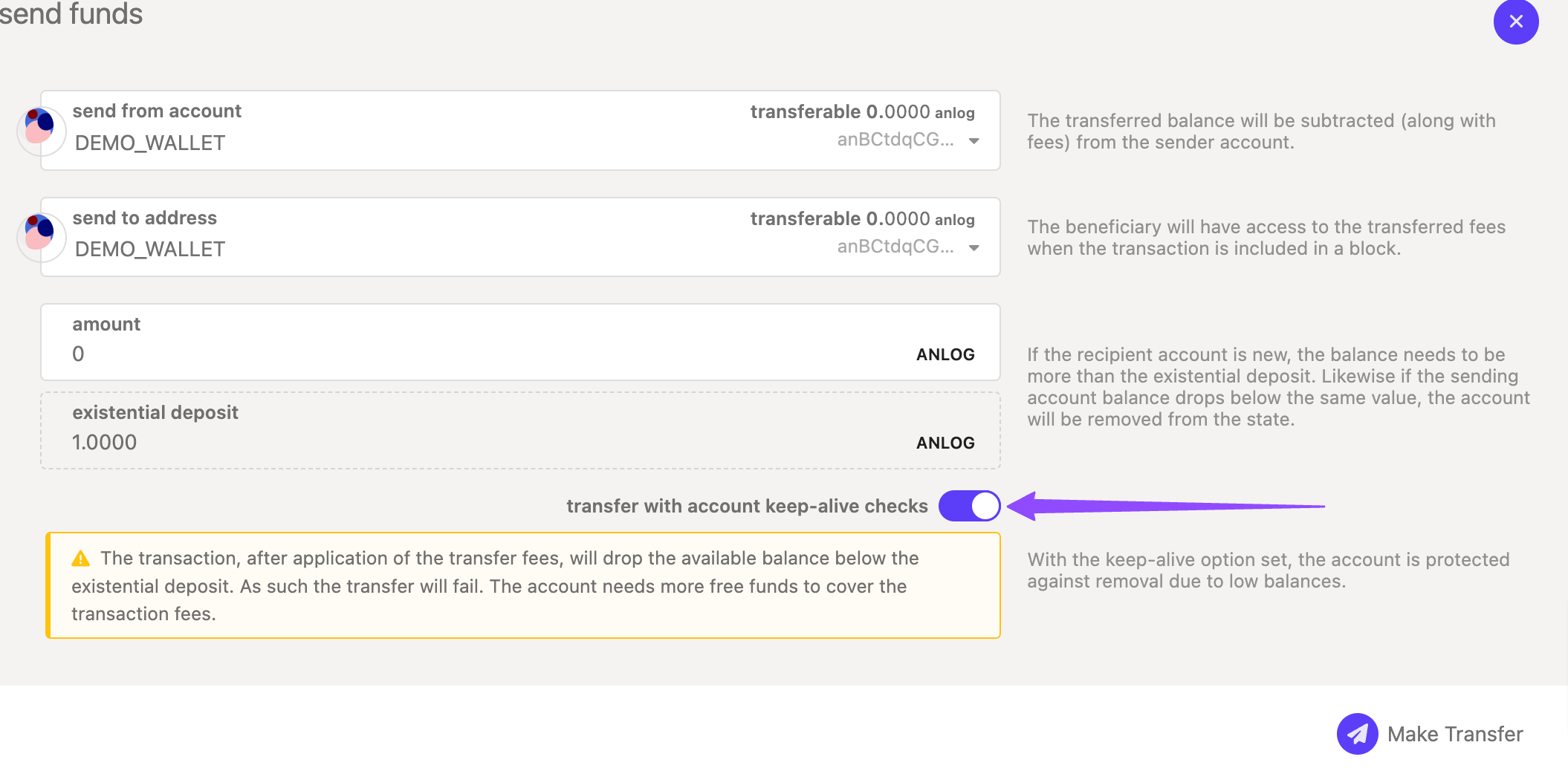
- If you transfer all (or almost all) of your funds from an account, causing the remaining balance to fall below the minimum ED, the account will be “reaped,” and any remaining funds will be forfeited.
- Most exchanges have minimum deposit amounts, which typically exceed Analog’s ED. Always confirm these amounts with your chosen exchange before transferring funds.